 threesmith
The right API.
For your version.
No invented methods. Look up the three.js release installed in your project, with signatures and the right import paths.
Explore the toolsA little less guessing. A lot more creating.
Your agent brings the ideas. Threesmith checks the three.js, inspects the scene, and helps you make something worth exploring.
npx -y threesmith doctorLocal. Open source. MIT licensed. Yours to build with.
FROM FIRST IDEA TO LAST FIX
Keep your flow. Give your agent the installed API, a second pair of eyes, and an actual browser to check its work.
No invented methods. Look up the three.js release installed in your project, with signatures and the right import paths.
Explore the toolsRun the page headless. Find broken assets, shader errors and black canvases, then inspect the live scene.
Look inside the checkBuild, view and lint 110 kinds of 3D models as clean .glb files, with a named node for every part.
Meet the modelsA REAL SCENE. A REAL DIFFERENCE.
The same example, before and after the fixes. Move the slider to compare the actual renders.
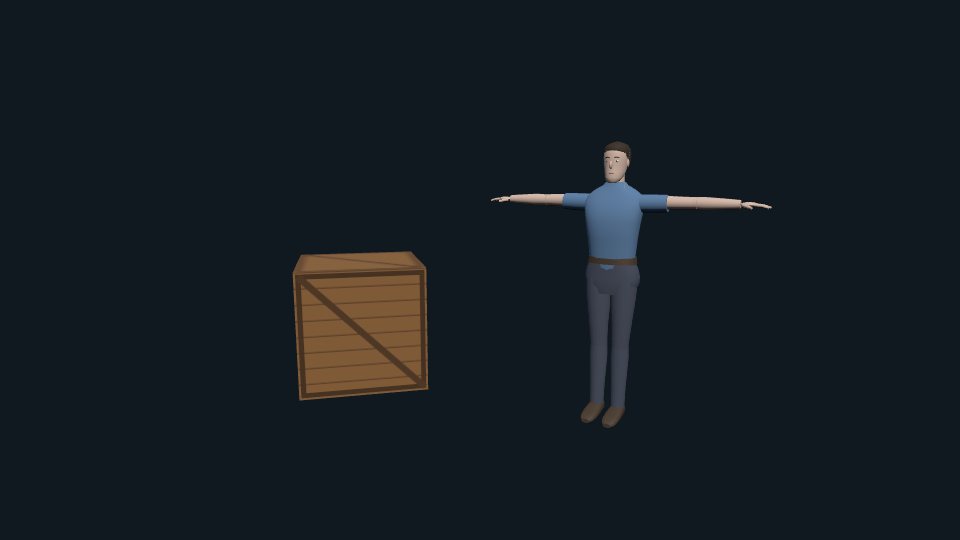

As the agent wrote it. 3 review errors, 2 asset paths that 404, a black canvas.
After fix + doctor’s list. Review 100/100, check passes, every asset loads.
Real run on examples/agent-mistakes. Mechanical fixes plus the manual fixes listed by doctor; not an automatic one-click repair.
THE NEXT STEP, MADE CLEAR
The scene in the comparison, as a coding agent wrote it (examples/agent-mistakes). three_doctor reads the files, groups the problems by cause, most urgent first, and says which ones three_fix does by itself. Real output, unedited:
Threesmith doctor: 5 error(s), 8 warning(s), review 73/100 (C), three r187, none (import map / CDN)

1. ✖ Why the scene shows nothing (or nothing right) (1): nothing else can be judged while the picture is black or empty
   [add-gltf-result] main.js:27
     GLTFLoader hands over an object holding scene, animations and cameras, not an Object3D: scene.add(gltf) logs "object not an instance of THREE.Object3D" and the model never shows. Fix: scene.add( gltf.scene );

2. ✖ Assets that will not load (2): a missing or mis-cased file is a 404, which the loader reports as a parse error far from the cause
   [asset-missing] main.js:22
     "/textures/crate.jpg" is not in the project (looked in public/textures/crate.jpg, textures/crate.jpg). The server answers with an HTML page, which the loader then fails to parse ("Unexpected token '<'"). Fix: Add the file under public/ (served at /), or fix the path.
   [asset-case] main.js:26
     "/models/Robot.glb" only matches public/models/robot.glb with different capitals: it loads on macOS and Windows and is a 404 on Linux servers and most hosts. Fix: Write the path exactly as the file is named (/models/robot.glb), or rename the file.

3. ✖ Outdated or removed three.js API (3): removed names throw or silently do nothing in the installed release
   [buffer-geometry-alias] main.js:18 (three_fix)
     `BoxBufferGeometry` and friends were renamed; the plain name is the BufferGeometry now.
   [addons-path] x2 index.html:8, main.js:3 (three_fix)
     `three/examples/jsm/...` still works, but `three/addons/...` is the documented path and the one import maps use.

4. ✖ Colours (2): wrong colour spaces make everything look washed out or too dark
   [output-encoding] main.js:7 (three_fix)
     `outputEncoding` was replaced by `outputColorSpace`.
   [texture-colorspace-missing] main.js:23
     Textures loaded with TextureLoader are used as color maps but `colorSpace` is never set, so colors look washed out or too dark. Fix: texture.colorSpace = THREE.SRGBColorSpace; (not for normal/roughness/metalness data maps).

5. ▲ Code that runs but does the wrong thing (4): these are bugs the user will see
   [controls-no-element] main.js:15
     Controls created without a DOM element listen to nothing (since r175 they need one), so mouse and touch do nothing. Fix: new OrbitControls( camera, renderer.domElement ), or call controls.connect( element ) later.
   [controls-damping-no-update] main.js:16
     `enableDamping` only works when controls.update() runs every frame. Fix: Call controls.update() inside the animation loop.
   [rotation-degrees] main.js:19
     Rotations are in radians; 45 here is about 7 turns, not 45 degrees. Fix: Use radians: THREE.MathUtils.degToRad( 45 ) (Math.PI / 4).
   [clip-action-unused] main.js:29
     clipAction() only creates the action; nothing plays until .play() is called on it. Fix: mixer.clipAction( clip ).play();

6. ▲ Performance (3): work per frame and GPU memory decide whether it runs smoothly on a phone
   [pixel-ratio-uncapped] main.js:8 (three_fix)
     `setPixelRatio(devicePixelRatio)` renders up to 9-16x the pixels on high-density screens.
   [alloc-in-loop] main.js:34
     A Vector/Matrix/Quaternion/Color is created with `new` inside the per-frame loop. That produces garbage every frame and causes stutter from garbage collection. Fix: Create the object once outside the loop (const _v = new THREE.Vector3()) and reuse it with .set()/.copy().
   [animation-loop] main.js:33
     `renderer.setAnimationLoop` is the supported loop: it also runs in WebXR and pauses correctly. Fix: renderer.setAnimationLoop((time) => { ...; renderer.render(scene, camera); });

7. ▲ Resize and cleanup (1): leaks and stretched views show up after the first minutes of use
   [no-resize-handling] main.js:6
     A renderer and camera exist but nothing reacts to a resize (no resize listener or ResizeObserver). Fix: On resize: camera.aspect = w / h; camera.updateProjectionMatrix(); renderer.setSize(w, h);

Next:
  1. Call three_fix (dry run), then three_fix write: true for the mechanical renames.
  2. Fix the asset paths (three_assets lists every reference and where it was looked for).
  3. Fix the 'shows nothing' group first, then confirm with three_check (screenshot) or three_inspect (why objects are not visible).
  4. Fix the remaining 1 error(s) by hand; three_api gives the exact names for the installed release.
  5. Call three_review with only_new: true after each change, until no errors are left.
  6. Run three_check on the page (index.html) before you call it done.
BEYOND THE SOURCE CODE
A review reads text. three_check runs the page in headless Chromium with software WebGL 2 (it works in CI) and reports what a user would see: page and console errors with their cause, failed requests, blank frames, and a screenshot. When the frame is blank, the scene inspector reads the live scene through three's devtools hook and says why nothing shows.
Would fix 5 place(s) in 2 file(s) (add --write to apply):
  index.html: 1 (addons-path)
  main.js: 4 (addons-path, buffer-geometry-alias, output-encoding, pixel-ratio-uncapped)
Run `threesmith review` again; the rest needs a decision.Threesmith check: FAIL – http://127.0.0.1:5173/examples/agent-mistakes/index.html canvases 1 · contexts webgl2 · frames 0 · three r187 ✖ [page-error] THREE.BoxBufferGeometry is not a constructor why: The class was removed or renamed (Geometry, Face3, *BufferGeometry), or it is an addon used as THREE.X without importing it. fix: Use the current name and import addons explicitly. three_api tells whether it exists and where. `BoxBufferGeometry` does not exist in three r187. Did you mean `BufferGeometry`? ✖ [blank] The screenshot is 100.0% one color: nothing visible was drawn (no lights, camera inside the object, or nothing added to the scene?). ✖ [scene] The renderer exists but render() was never called. Fix: Call renderer.render(scene, camera) every frame, for example in renderer.setAnimationLoop(...). ✖ [scene] No camera was found for the scene. Fix: Create a PerspectiveCamera and pass it to renderer.render(scene, camera). ✖ [scene] The rendered scene has no meshes, points, lines or sprites. Fix: Add your objects with scene.add(object) (for loaded models: scene.add(gltf.scene) inside the load callback). Why it may not look right: ✖ [never-rendered] The renderer exists but render() was never called. fix: Call renderer.render(scene, camera) every frame, for example in renderer.setAnimationLoop(...). ✖ [no-camera] No camera was found for the scene. fix: Create a PerspectiveCamera and pass it to renderer.render(scene, camera). ✖ [empty-scene] The rendered scene has no meshes, points, lines or sprites. fix: Add your objects with scene.add(object) (for loaded models: scene.add(gltf.scene) inside the load callback). WebGLRenderer: canvas 800x600 @1, 0 draw calls, 0 triangles, 0 geometries, 0 textures, 0 shader programs Scene graph (1 objects, 0 meshes, 0 lights): Scene screenshot: ./examples/agent-mistakes/.threesmith/last.png
Each row is a mistake coding agents make in three.js projects, and the tool that catches it.
| Your agent… | On its own | With Threesmith |
|---|---|---|
| writes three.js | Geometry, outputEncoding, examples/js: old habits | 97 rules pinned to the installed release, each with the fix; three_fix does the pure renames, undoable |
| calls an API | guesses a name or import path from memory | three_api reads node_modules/three: signature, deprecation, the right three/addons/… path |
| writes a shader | #include <encodings_fragment>, a patch on a chunk that is gone | includes checked against the installed ShaderChunk; patches that silently do nothing found |
| loads a model | /models/Robot.glb: works on a Mac, 404 on the server | three_assets resolves every path like the host does; names missing Draco, meshopt and KTX2 setup |
| says "it works" | never opened the page | three_check: errors with causes, blank frames, screenshots, baselines with a diff |
| fixes a bug | cannot show it was there, or that it is gone | three_play judges claims frame by frame; three_scenario keeps it as a regression test |
| makes it fast | changes things and hopes | three_perf: draw calls, triangles, programs against a budget; three_leaks: what is never disposed |
| ships it | builds, deploys, sees a 404 | three_build: copies of three, missing assets, sub-path URLs, then the built page headless |
| needs a 3D model | a placeholder cube | three_model_build: a clean .glb from 110 kinds, shown as text views, linted |
Load the sets you need: --tools core,run. Most tools are also CLI commands (threesmith <command> --help).
three_doctor what is wrong, in orderthree_scan the project mapthree_api · three_search installed APIthree_review 97 rules, 0-100three_types tsc, answered for threethree_fix · three_undothree_explain cause of a messagethree_lessons · three_lesson_addthree_rules · three_feedback · three_versionthree_check headless page, screenshotthree_inspect why objects are invisiblethree_play steps, watch, claimsthree_scenario regression teststhree_perf draw calls, budgetsthree_leaks what grows per cyclethree_session a page kept openthree_page eval, steps, screenshotsthree_assets paths, case, decodersthree_build the deployed outputthree_model_brief · three_model_identifythree_model_spec · three_model_buildthree_model_view text viewsthree_model_lint · three_model_inspectA SMALL START. A WHOLE WORLD OF POSSIBILITIES.
110 ready-made model kinds. Clean .glb files. No Blender needed. These are actual Threesmith models, rendered by three.js.
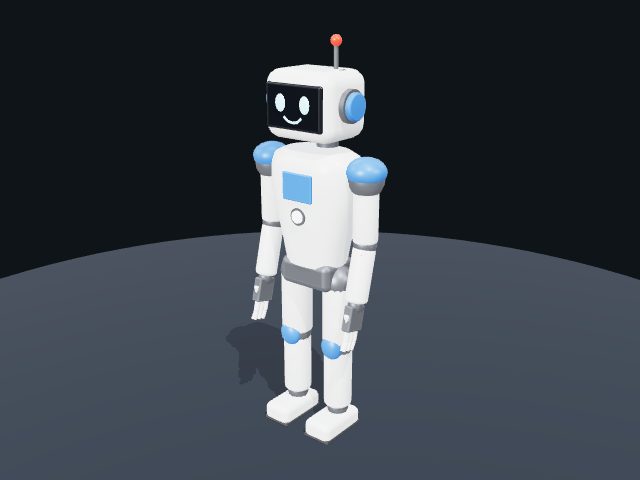
A friendly face for your next scene.
model build robot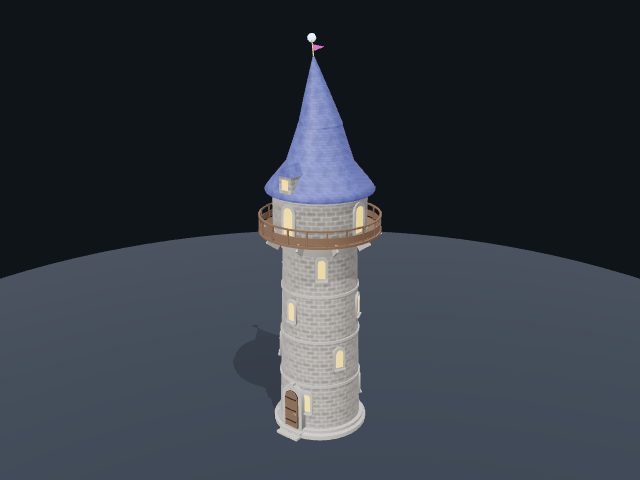
A little room for a big imagination.
model build wizard-tower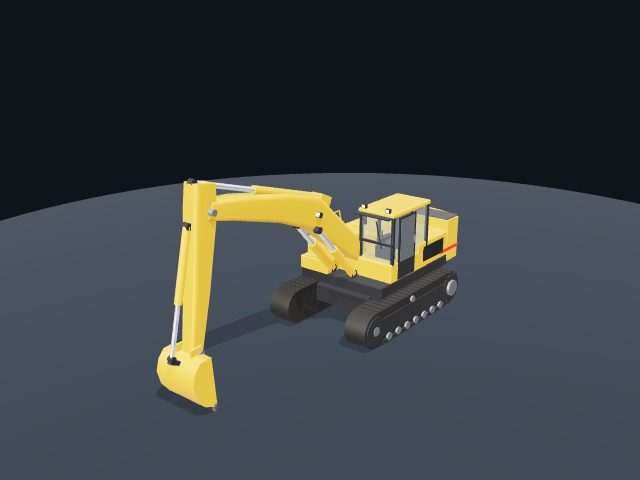
Built one moving part at a time.
model build excavator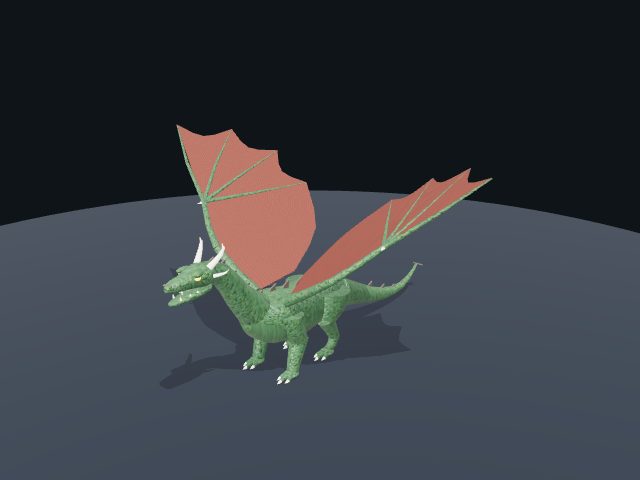
Give your world a little fire.
model build dragon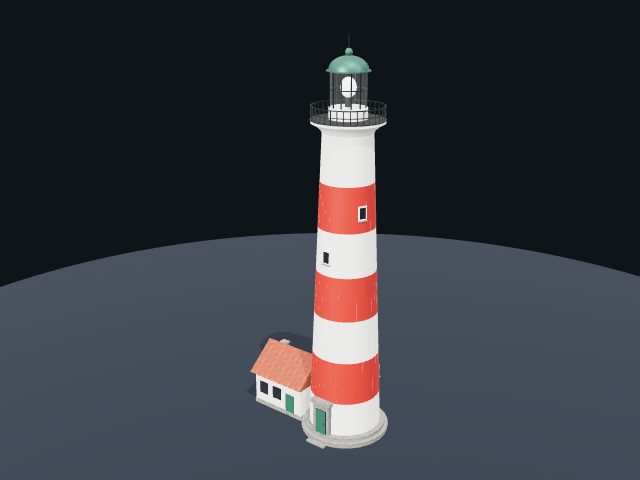
A landmark worth finding.
model build lighthouse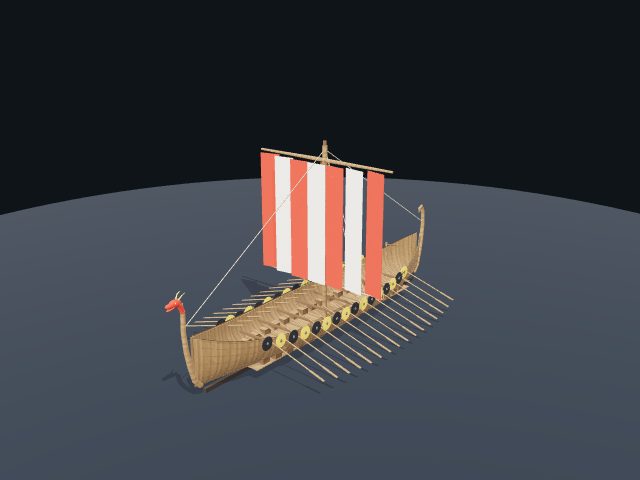
Set a different course.
model build viking-longshipREADY WHEN YOU ARE
Node.js 22.12+ and three in your project. Browser checks also need Chromium and playwright-core; threesmith doctor --env shows what is missing.
Start with a diagnosis of the current project.
npx -y threesmith doctorthree_types adds the type checker). It can be wrong; mark it with three_feedback.bench/ has the tasks and the grader.A FEW THINGS YOU MIGHT WONDER
No. Most tools read files. The browser tools use headless Chromium with software WebGL 2, which also runs in GitHub Actions.
The one in your node_modules/three. A rule knows the release that removed or renamed an API, so the same line is an error on a new release and a warning on an old one, and a rule whose replacement does not exist yet in your release stays quiet.
Yes: rules for useFrame (state set every frame, allocations), objects created in render and render priority, and rules R3F handles itself (dispose, colour space) are skipped.
No. There is no telemetry. Lessons and false-alarm feedback stay in ~/.threesmith, scrubbed of names, paths and code.
Yes: Godotwright is the same toolkit for Godot 4. Threesmith follows its design.
MADE BY LAAIELICHTER. BUILT IN THE OPEN.
Bring your ideas. Give your agent the right tools.
Find it useful? A GitHub star is always welcome.